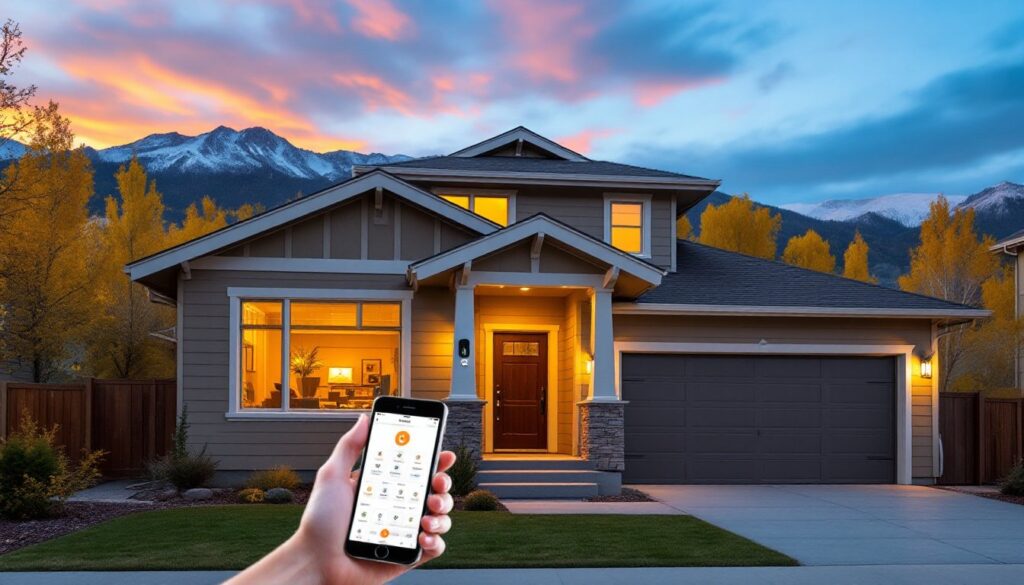
Home automation transforms ordinary houses into intelligent living spaces. It connects devices, appliances, and systems through a central network. Homeowners can control lighting, temperature, security, and entertainment with voice commands or smartphone apps.
The concept sounds futuristic, but millions of people already use home automation daily. Smart thermostats learn heating preferences. Video doorbells send alerts when visitors arrive. Voice assistants play music on command. These technologies work together to create more convenient, efficient, and secure homes.
This guide explains how home automation works, its essential components, popular applications, and practical steps to get started.
Table of Contents
ToggleKey Takeaways
- Home automation connects devices, appliances, and systems through a central network, allowing control via voice commands or smartphone apps.
- Wi-Fi, Zigbee, Z-Wave, and Bluetooth are the main technologies powering home automation systems, each with distinct advantages.
- Smart thermostats can reduce heating and cooling costs by 10-15%, making home automation a practical investment for energy savings.
- Start small with a smart speaker and a few bulbs, then expand strategically to build a cohesive home automation system.
- Choose one ecosystem—Amazon Alexa, Google Home, or Apple HomeKit—to ensure all your devices work together seamlessly.
- Home automation enhances security, convenience, and accessibility while potentially increasing your property’s resale value.
How Home Automation Works
Home automation connects devices through a communication network. This network allows devices to send and receive signals from a central controller or hub. The hub acts as the brain of the system.
Three main technologies power home automation systems:
Wi-Fi connects devices directly to a home’s internet router. Most smart speakers, cameras, and streaming devices use Wi-Fi. It offers fast data transfer but can strain bandwidth when many devices connect simultaneously.
Zigbee and Z-Wave are low-power wireless protocols designed specifically for home automation. They create mesh networks where each device strengthens the overall signal. Smart bulbs, sensors, and locks commonly use these protocols.
Bluetooth handles short-range connections between devices. It works well for direct control but lacks the range for whole-home automation.
The automation process follows a simple pattern. A sensor detects a change, motion, temperature, or time. The sensor sends this information to the hub. The hub processes the data and triggers a response. For example, a motion sensor detects movement at sunset. The hub receives this signal and turns on the porch lights.
Users can also create custom routines. A “good morning” routine might raise the blinds, start the coffee maker, and play the news, all triggered by a single voice command or scheduled time.
Key Components of a Smart Home System
Every home automation setup relies on several core components working together.
Smart Hub or Controller
The hub serves as command central. It connects different devices and protocols into one unified system. Popular options include Amazon Echo, Google Nest Hub, and Apple HomePod. Some systems like SmartThings and Hubitat support multiple wireless protocols, giving users more device flexibility.
Smart Devices
These are the workhorses of home automation. Common categories include:
- Smart lighting: Bulbs, switches, and strips that dim, change colors, and schedule on/off times
- Smart thermostats: Devices that learn temperature preferences and optimize energy use
- Smart locks: Keyless entry systems with remote access and guest codes
- Smart cameras: Indoor and outdoor surveillance with motion alerts and cloud storage
- Smart plugs: Adapters that add automation to regular appliances
Sensors
Sensors detect environmental changes and trigger automated responses. Motion sensors activate lights in empty rooms. Door and window sensors monitor entry points. Water leak sensors alert homeowners to potential flooding. Temperature and humidity sensors maintain optimal conditions.
Voice Assistants
Amazon Alexa, Google Assistant, and Apple Siri provide hands-free control. Users speak commands to adjust devices, check status, or run routines. Voice assistants also answer questions, play media, and make calls.
Mobile Apps
Smartphone apps give users remote control over their home automation systems. They can check camera feeds, adjust thermostats, or lock doors from anywhere with internet access.
Popular Types of Home Automation
Home automation covers many aspects of daily life. Here are the most common applications.
Lighting Automation
Smart lighting goes far beyond on and off. Homeowners can schedule lights to match their routines. Motion-activated lighting improves safety in hallways and bathrooms. Color-changing bulbs set different moods for movies, dinner, or parties. Automated dimming extends bulb life and reduces energy costs.
Climate Control
Smart thermostats like Nest and Ecobee learn household patterns. They lower heating when residents leave and warm the house before they return. Zoned systems heat or cool specific rooms based on occupancy. This targeted approach cuts energy bills significantly.
Security and Surveillance
Home automation enhances security through integrated systems. Smart locks eliminate lost keys and allow remote access for guests. Video doorbells show visitors before opening the door. Motion-activated cameras record activity and send instant alerts. Sensors detect break-ins, smoke, and carbon monoxide.
Entertainment Systems
Multi-room audio systems play synchronized music throughout the house. Smart TVs and streaming devices respond to voice commands. Automated home theaters dim lights, close blinds, and start movies with a single command.
Appliance Control
Smart plugs convert ordinary devices into automated ones. Robot vacuums clean on schedule. Smart refrigerators track groceries and suggest recipes. Automated sprinkler systems water lawns based on weather forecasts.
Benefits of Automating Your Home
Home automation delivers practical advantages that improve daily life.
Convenience tops the list. Controlling multiple devices from one app or voice command saves time. Routines handle repetitive tasks automatically. Forgot to lock the door? Check and fix it from your phone.
Energy savings add up quickly. Smart thermostats reduce heating and cooling costs by 10-15% according to Energy Star estimates. Automated lights don’t burn electricity in empty rooms. Smart power strips cut standby power drain.
Enhanced security gives homeowners peace of mind. Real-time alerts notify them of unusual activity. Remote monitoring lets them check on their property from anywhere. Smart locks create unique codes for service workers and track entry times.
Accessibility improvements help elderly residents and those with disabilities. Voice control eliminates the need to reach switches or walk across rooms. Automated door locks assist those with mobility challenges. Video monitoring helps caregivers check on loved ones.
Increased home value makes automation a smart investment. Buyers increasingly expect smart features. A study by Coldwell Banker found that 81% of buyers said they would prefer a home with smart technology already installed.
Customization allows every household to create their ideal setup. Night owls and early risers program different lighting schedules. Families with pets monitor their animals while at work. Frequent travelers simulate occupancy to deter intruders.
Getting Started With Home Automation
Starting with home automation doesn’t require a complete overhaul. A gradual approach works best for most homeowners.
Step 1: Identify priorities. Consider which problems home automation should solve. High energy bills point toward smart thermostats. Security concerns suggest cameras and smart locks. Convenience seekers might start with voice assistants and smart lighting.
Step 2: Choose an ecosystem. Amazon Alexa, Google Home, and Apple HomeKit each offer distinct advantages. Amazon has the widest device compatibility. Google excels at answering questions and calendar integration. Apple provides the strongest privacy protections. Pick one ecosystem to ensure devices work together smoothly.
Step 3: Start small. A smart speaker and a few smart bulbs make an excellent entry point. This combination costs under $100 and demonstrates automation benefits immediately. Users can add devices as they learn the system.
Step 4: Expand strategically. Add devices that complement existing ones. A smart thermostat pairs well with temperature sensors. Video doorbells work better with smart locks. Each addition should integrate with the current setup.
Step 5: Create routines. Automation shines when devices work together. Program a bedtime routine that locks doors, dims lights, and sets the thermostat. Build a welcome home scene that disarms security, turns on lights, and plays music.
Budget considerations: Entry-level smart home setups start around $200-$300. Mid-range systems with security features run $500-$1,000. Comprehensive whole-home automation can exceed $2,000-$5,000 depending on complexity.